Flight Planning & Moving Map Overview
September 6, 2026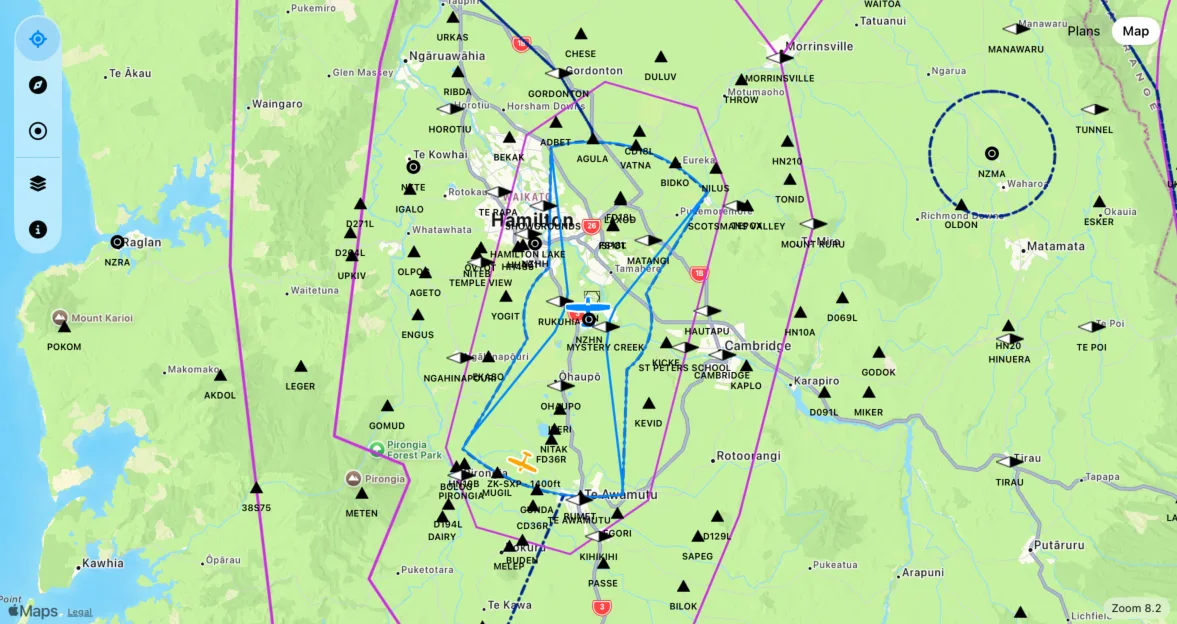
MiniEFB is designed to help you manage your flights from start to finish, so you get the best flight logging experience possible. It all starts with flight planning.
Before You Begin
Your flight planning experience will be much better if you completed at least the Fuel & Performance section of the aircraft you are using. MiniEFB automatically calculates headings, ETAs and estimated fuel usage for you, so make sure you complete your aircraft details to take advantage of these. See the article about aircraft management to learn more.
The Flight Planning Page
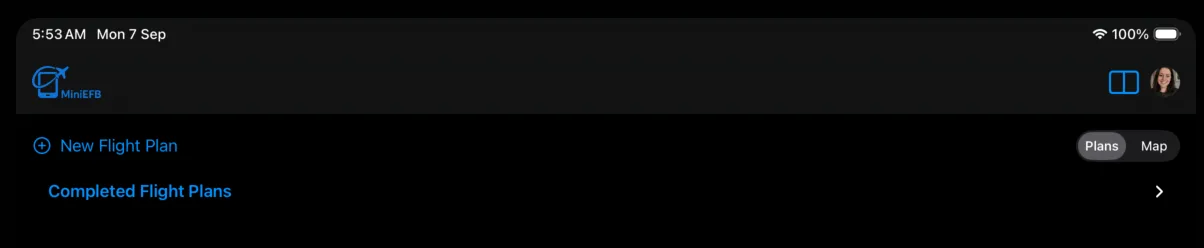
The flight planning page has two modes, plans and map. In plans mode, you will see a list of your flight plans and will have the ability to create new ones and edit or clone existing plans:
Top-Left: New Flight Plan button - launches the new flight plan process
Top-Right: Plans / Map toggle - toggles the page view between a list of flight plans or a map view
Flight Plans: A list of your flight plans will appear when you have created some
Completed Flight Plans: You can see flight plans that you have completed by expanding the Completed Flight Plans section. Here, you can view the flight plan, or create a new flight plan from it.
The Moving Map
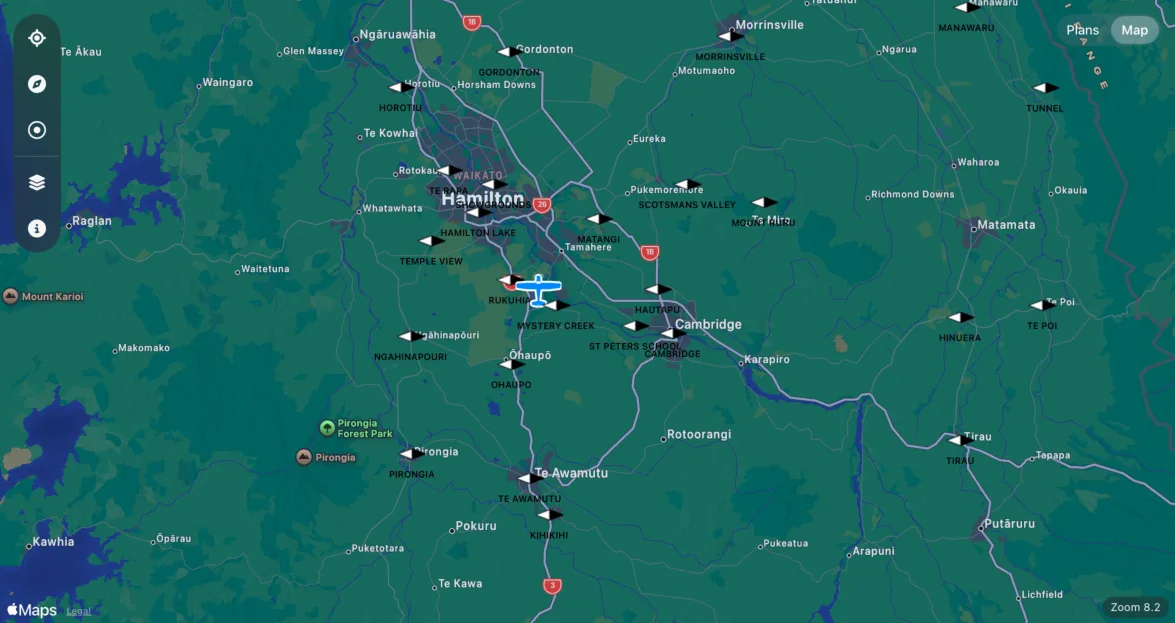
Moving Map Features
Top-Left: Vertical pill menu providing access to key map features, from top to bottom:
Center & Follow - when enabled, the map will center on your position and follow along as you move.
Track Up - when enabled, the map orientation follows your current track. When disabled, north will always be at the top.
Distance Rings - shows 5 and 10 nautical mile rings around your position.
Map Layers - here you can switch between 3 base layer modes (Standard, Satellite or Hybrid) and set any custom map layers you may have. How to add custom map layers is covered in another article,
Map Detail - here you can customise what you see on the map. You can turn various overlays on or off and customise your aircraft icon.
Middle: Your position
Bottom-Right: Map zoom level.
Map Layers
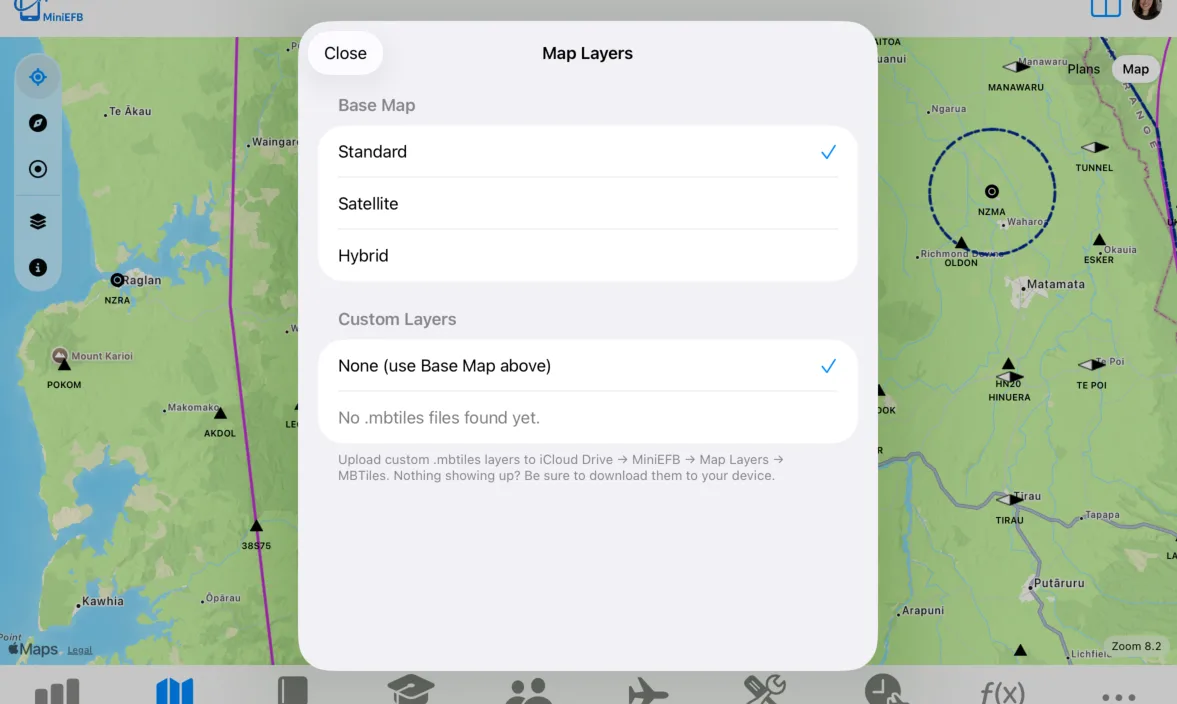
Open the Map Layers modal by clicking or tapping on the map layers icon in the pill menu:

The moving map uses Apple maps as base layers while allowing users to upload their own custom layers to overlay on top. This is how you can add official navigation charts into MiniEFB. MiniEFB currently supports the MBtiles map layer format. Other map layer formats like KML, XYZ or GEOtiff can be converted to MBtiles for use in MiniEFB. To learn more about MBtiles, visit: https://docs.mapbox.com/help/glossary/mbtiles/
Upload your .mbtiles files to your iCloud Drive, you will find a folder for it in the MiniEFB folder:
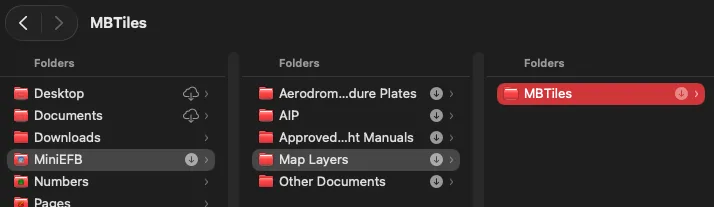
It is recommended that you always keep the MiniEFB folder in your iCloud drive downloaded to your device, as it allows the app to read the files directly and avoids performance or offline use issues.
Map Detail
Clicking or tapping on the map detail icon will bring up the map detail modal:

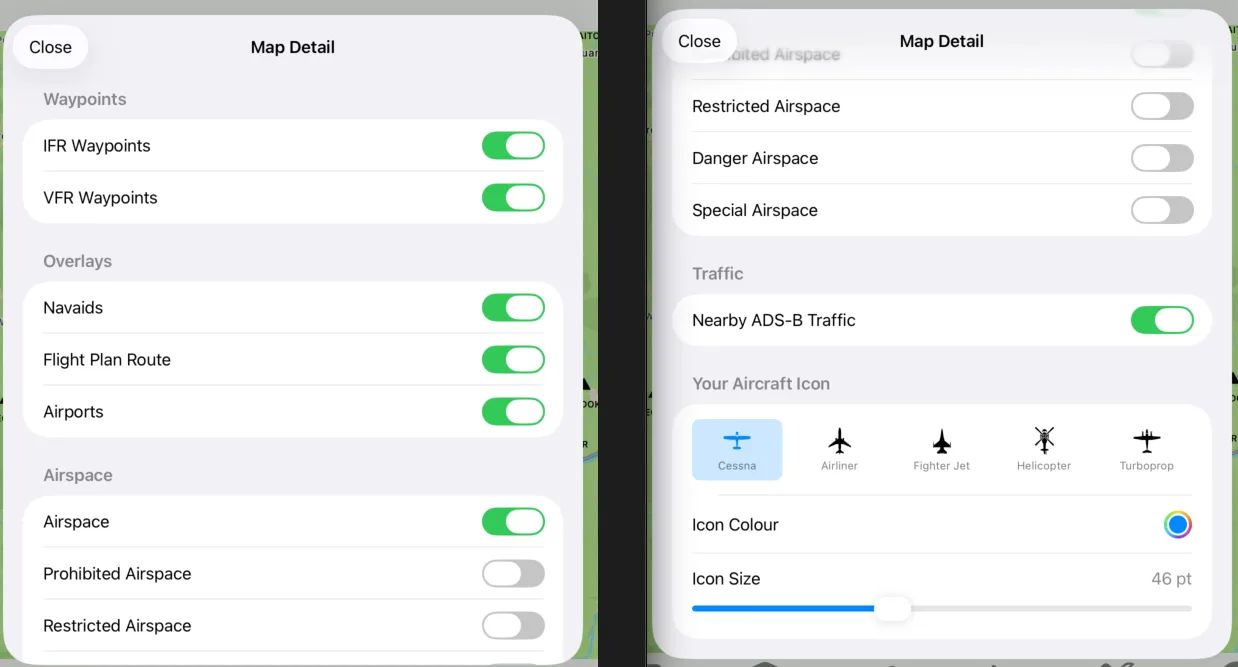
The map detail modal provides you with options to show or hide various map overlays, such as waypoints, airports or airspace. Here, you can also disable or enable ADS-b traffic from showing on the map and customise your position icon.
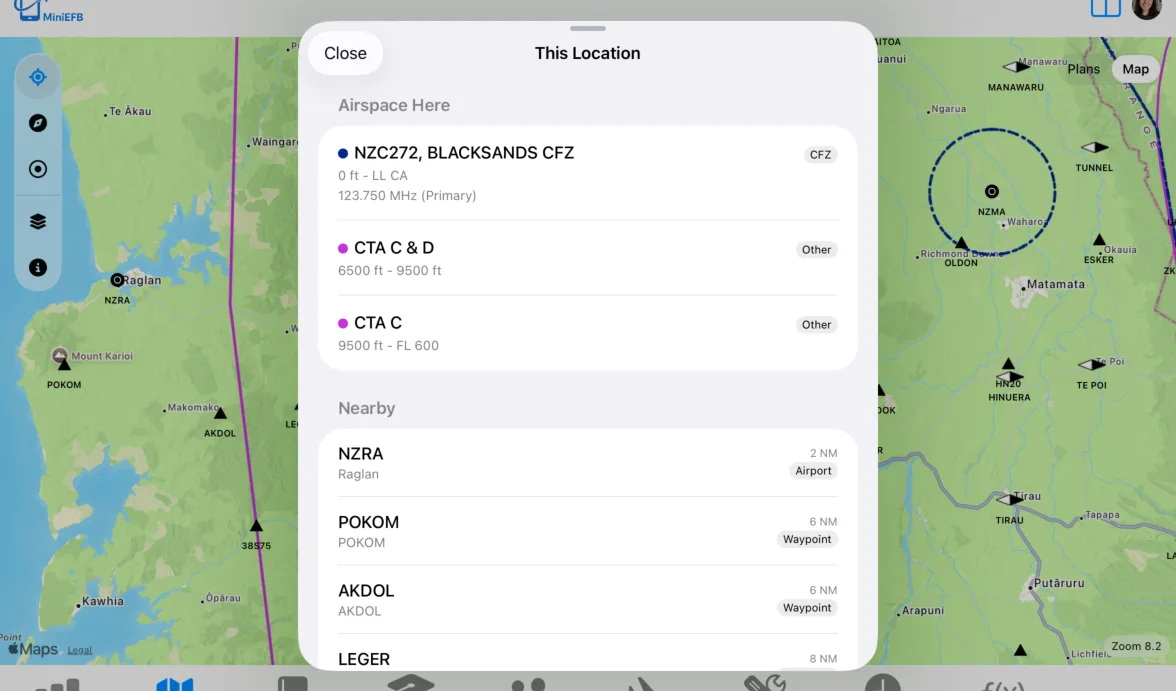
This Location Feature
Clicking or tapping on the map brings up a "This Location" modal, showing what airspace exists at that location and what waypoints, nav aids or airports are nearby: