The MiniEFB Dashboard Explained
September 6, 2026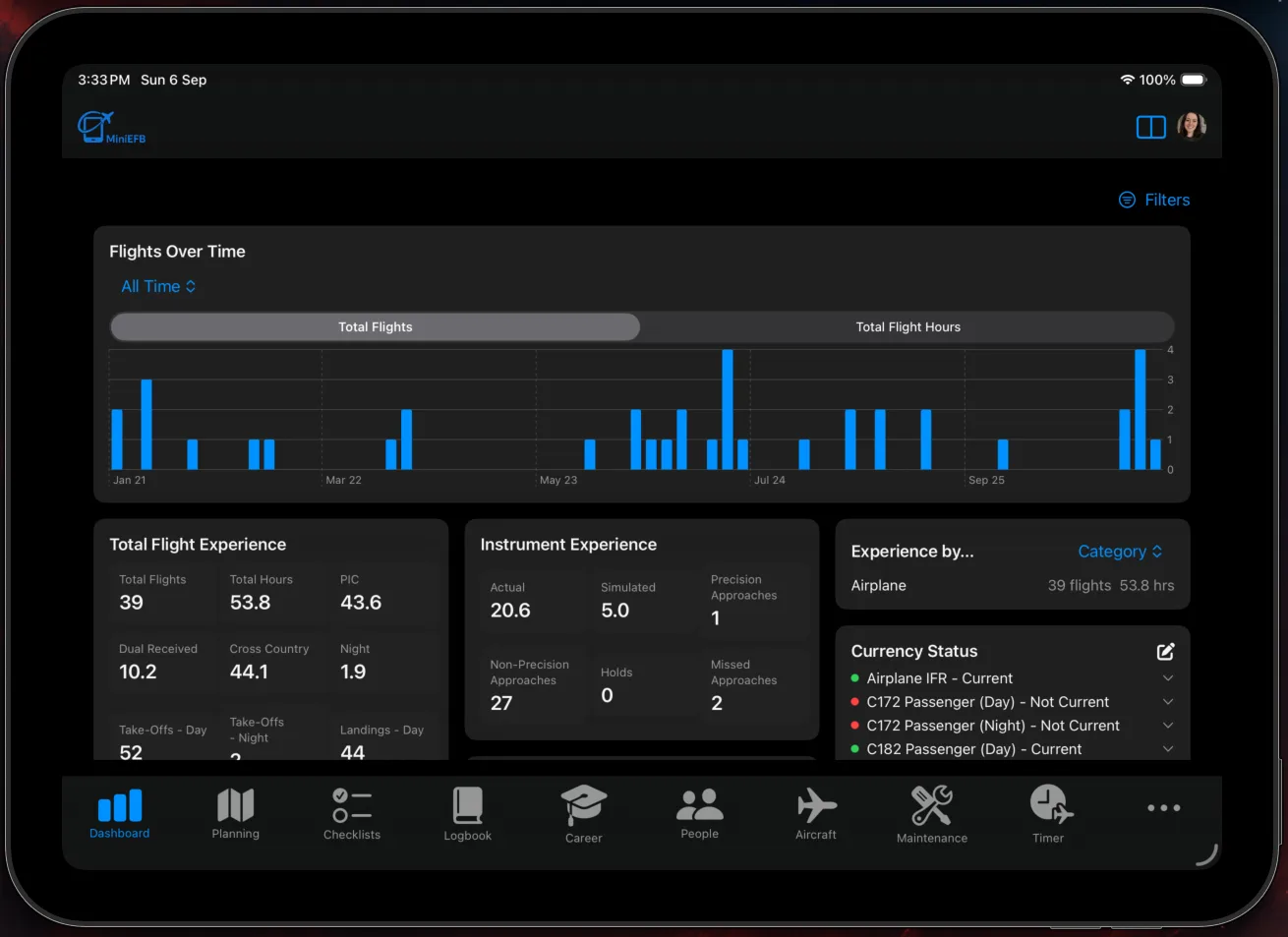
As you log flights using the MiniEFB Digital Pilot Logbook, your dashboard will populate with data. It is designed to give you an eagle-eye view of your entire flying history. To understand the MiniEFB Dashboard, we will explain the different widgets available, how some of the work and how you can even change the entire dashboard by applying filters to it.
Dashboard Widgets Explained
There are lots of useful widgets on the dashboard, such as:
Flights Over Time Graph
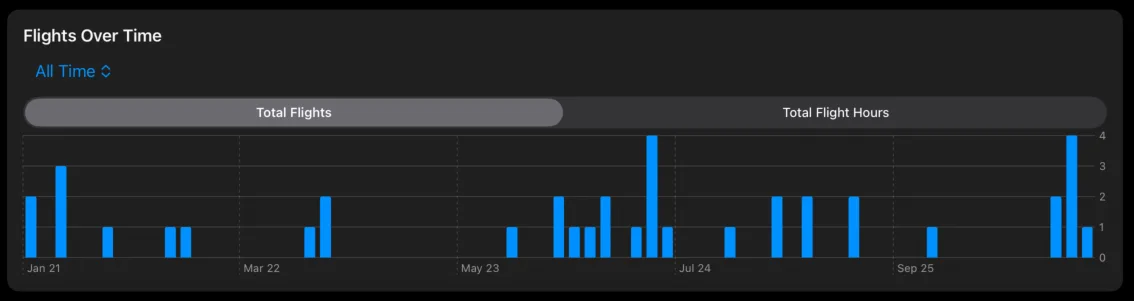
This graph shows you your total flights or flight hours for a given time period. The default is "All Time" but you can choose from 30 Days, 90 Days, 6 Months and 12 Months as well by tapping on the drop down menu in the top-left. Switch between Total Flights and Total Hours by tapping on the tabs above the graph.
Total Flight Experience & Instrument Experience
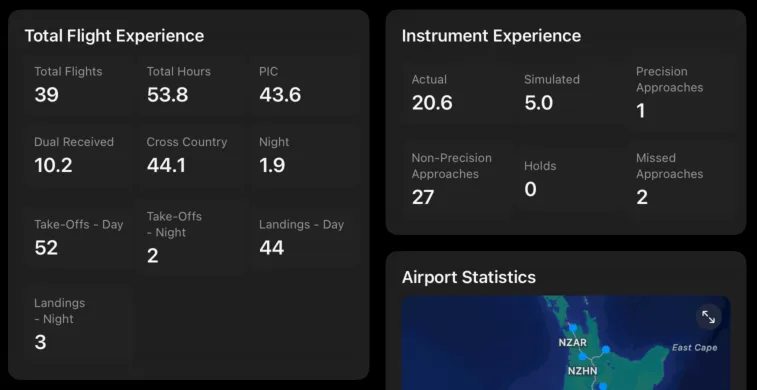
These widgets show you details about your flying experience to date, including a separate widget for instrument time. You can see the total number of flights you have done, total hours, total time as pilot in command, how many hours of dual instruction you have received, how many hours of cross country flying you have done, as well as information about your take-offs and landings.
NOTE: The more detail you add when logging flights with MiniEFB, the more useful these widgets become!
Currency Status
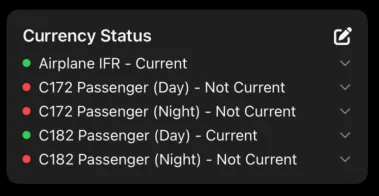
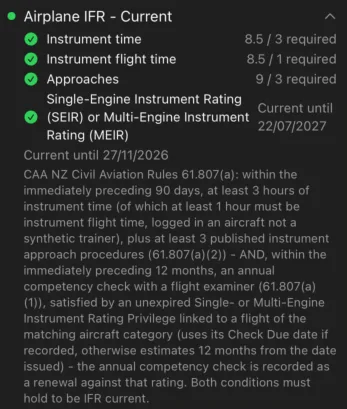
The currency status widget allows you to see at a glance whether you are current or not, whether that be to carry passengers during the day vs the night, or whether you are IFR current. You can show or hide currencies by clicking on the "Edit" icon in the top-right hand corner of the widget.
You can also expand the currencies to get full details about what is needed to be current, and why you are or are not current, and what you should do to get current, or maintain currency: